mooring
How to show the favorites bar in your Opera browser
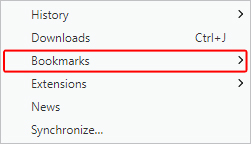
In the Opera browser, click the menu button in the upper-left corner and Select Bookmarks from the menu that appears.
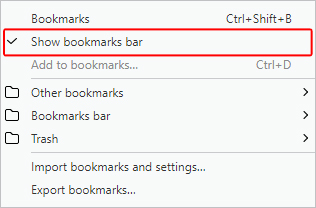
In the next menu that appears, click Show bookmarks bar to toggle the bookmarks bar on.